 Rezo
Run the whole floor. Even offline.
Rezo is a complete restaurant operations system — tables, the till, the kitchen screen, payments, the day close, bookings, rooms and housekeeping — covering a whole service end to end. When the Wi-Fi drops, service doesn't.
- 14-day free trial
- No card needed
- Works offline
- English & العربية
Built around a busy service
From the first seat to the last cash-up — on the till, a tablet on the floor, a phone, or a screen on the kitchen wall.
Floor & tables
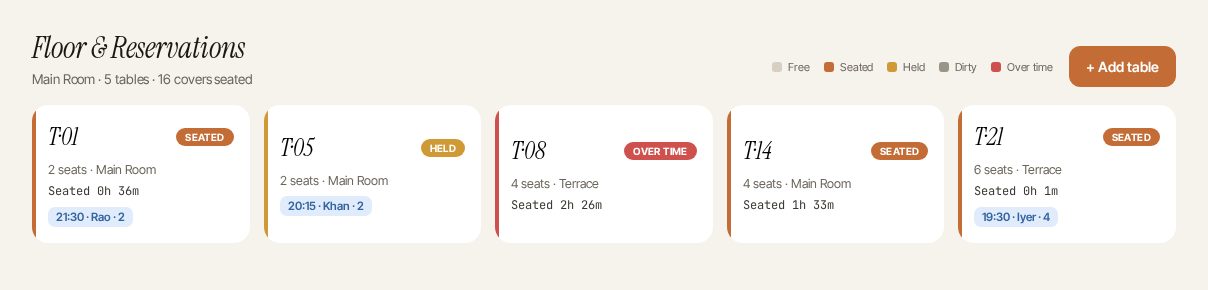
Every table at a glance — who's seated, for how long, and what needs clearing. Your own layout, by zone.
Point of sale
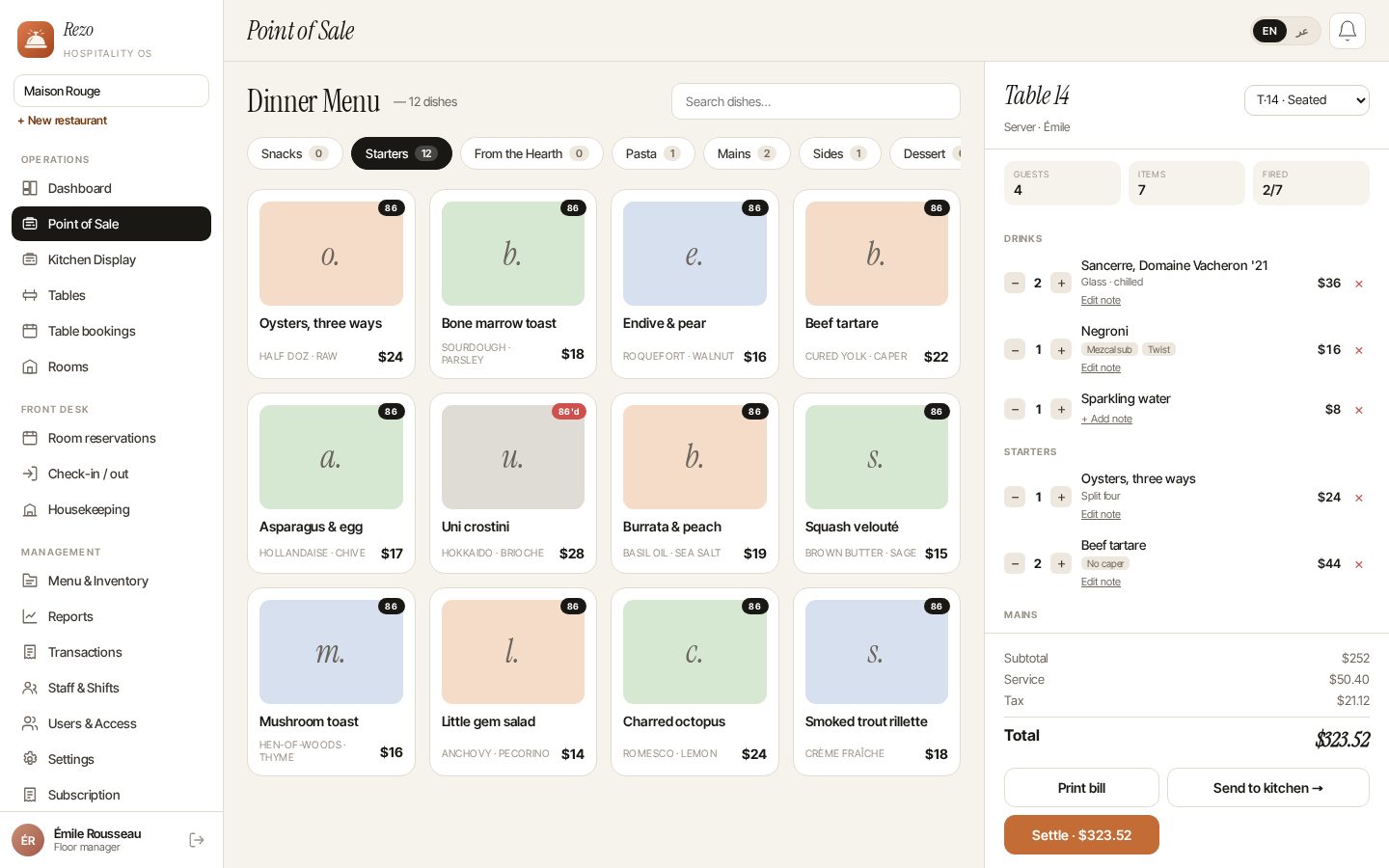
Ring orders the way your kitchen works: courses, modifiers and notes on every line, fired when the table is ready.
Kitchen display
A full-screen board for the pass. Tickets age in real time, late ones stand out, one tap marks ready.
Payments & receipts
Cash, card, UPI, transfer, voucher or room charge. Split one bill across two methods, with tips.
Day close
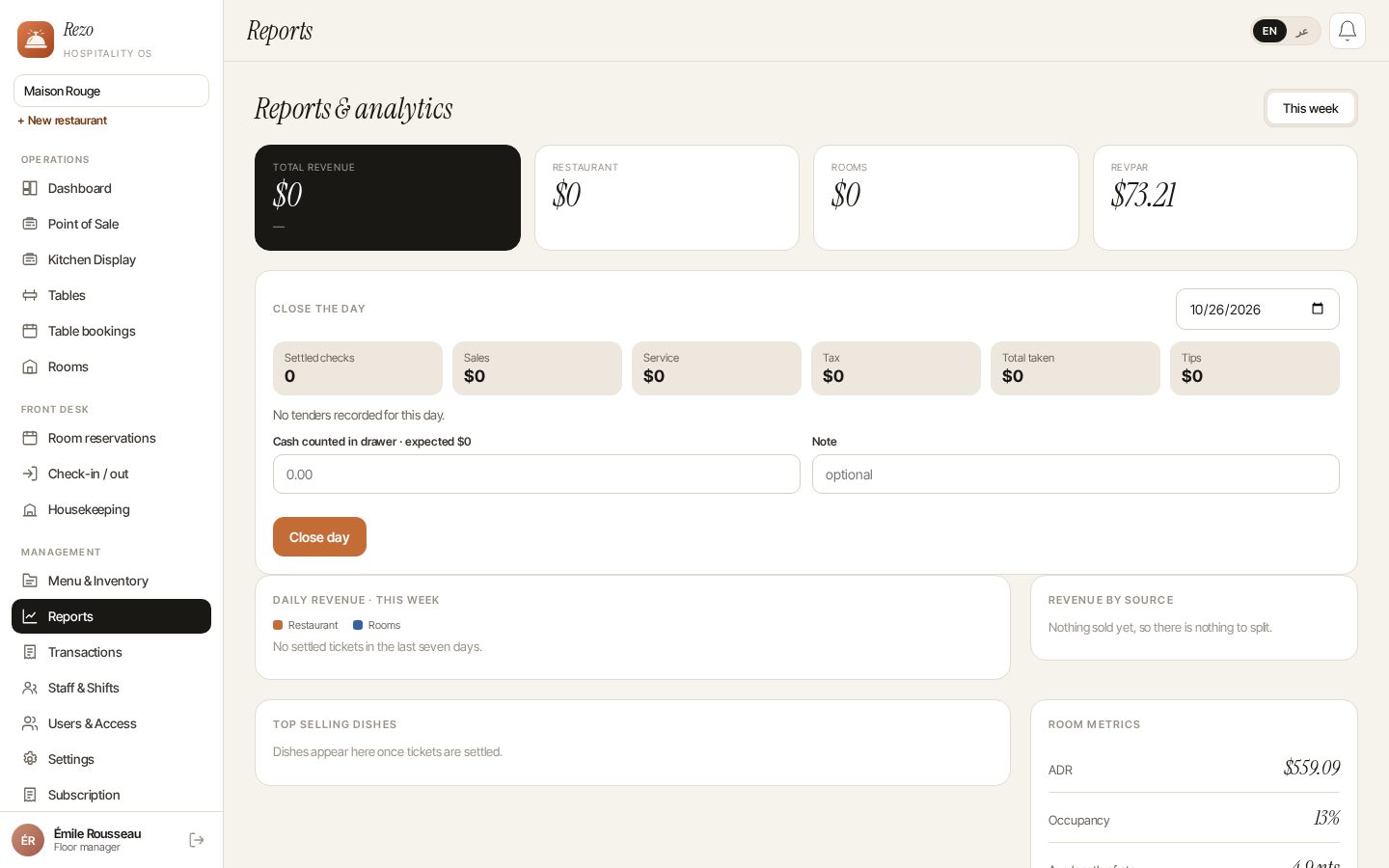
Takings by payment method and the expected cash worked out for you — count it, see the variance.
Table bookings
See who's due tonight and seat them on arrival, straight into a check.
Menu & stock
Dishes and prices in English and Arabic, par levels, and dishes that run out marked 86 automatically.
Team & access
Manager, server, host and kitchen roles, clock-in and breaks — and access removed the moment someone leaves.
Many venues, one login
Switch between restaurants in a click; each one's data stays its own.
See the whole room. Ring it up fast.
The floor shows every table with how long it has been seated and who is due next. Open a check straight from the table, add courses, and fire each one when the table is ready.
- Your own layout, by zone
- Courses, modifiers and notes on every line
- Bookings show up on the table they're due at
The Wi-Fi drops. Service doesn't.
Venue internet is never perfect, so Rezo is built for it. A bad connection is an inconvenience, not an outage.
- Screens stay open — the menu, tables and bookings you last loaded stay on screen
- Changes are kept on the device — and sent, in order, when you're back
- Nothing happens twice — a retried order is never added, or charged, twice
No more lost paper tickets.
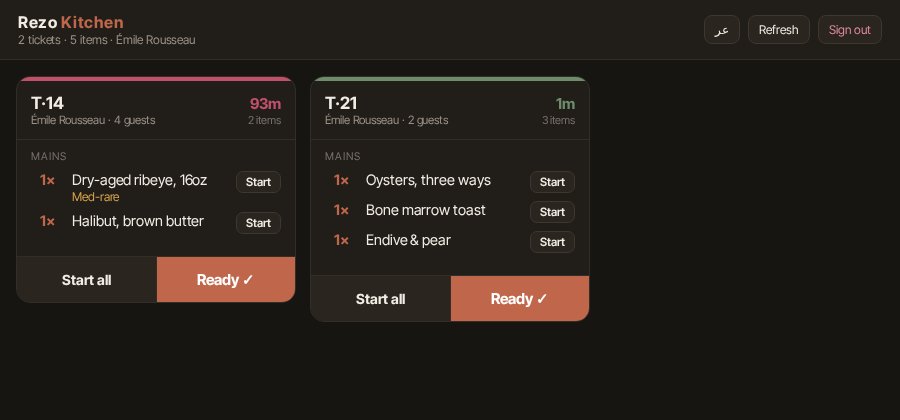
A full-screen board for the pass. Every ticket shows its table, its courses and how long it has waited.
- Tickets age in real time; late ones stand out
- Start a line when it's cooking; one tap marks ready
- Runs on any wall-mounted screen
Rooms and restaurant, together.
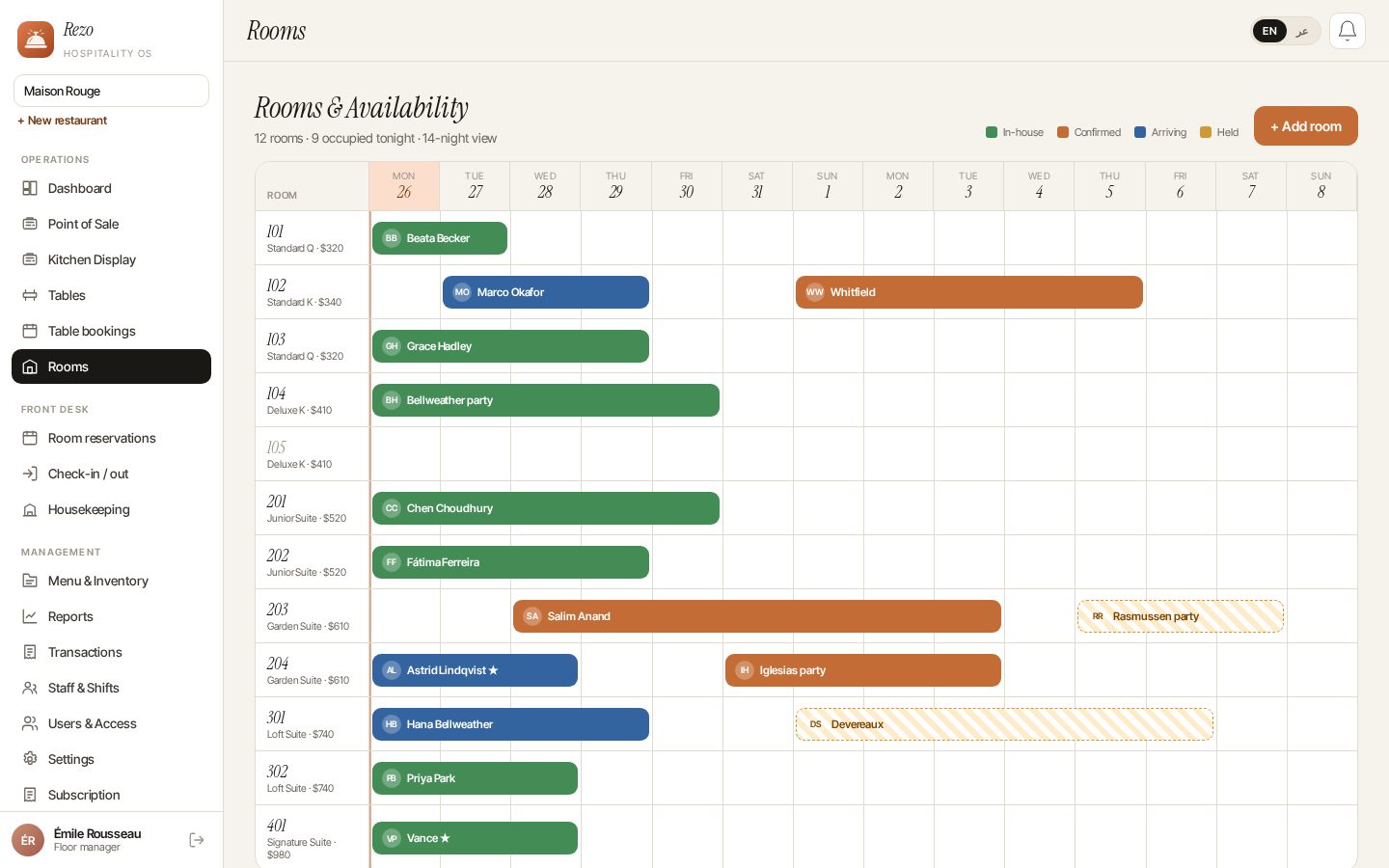
If your property has rooms as well as a dining room, run the front desk from the same system your restaurant uses.
- Reservations against real rooms and nightly rates
- Check-in and check-out; charge restaurant bills to the room
- A housekeeping board from dirty to ready, with assignees and notes
Connects to TamilAccounting.
Rezo works perfectly well on its own. When you want proper books behind the restaurant, connect your ERP and your sales stop being re-typed.
- Settled checks, payments and day closes flow into your books as they happen
- Completely optional — connect later without starting again
- Disconnect without stopping: the restaurant keeps trading
On the till, in a pocket, on the wall.
Rezo runs in any browser, so there's never anything you have to install. Where a native app earns its place, get it from the store you already use — same account, same data.
Rezo for Android
The whole system on a tablet: floor plan, till, kitchen and day close. Keeps selling through an outage.
Rezo Crew for Android
The handheld for floor staff: seat, order at the table, fire to the kitchen and settle.
Rezo for Windows
For the counter PC: full screen, keyboard shortcuts and your thermal printer.
Open for service today.
No hardware to buy. Use the tills, tablets and phones you already have.
- 1
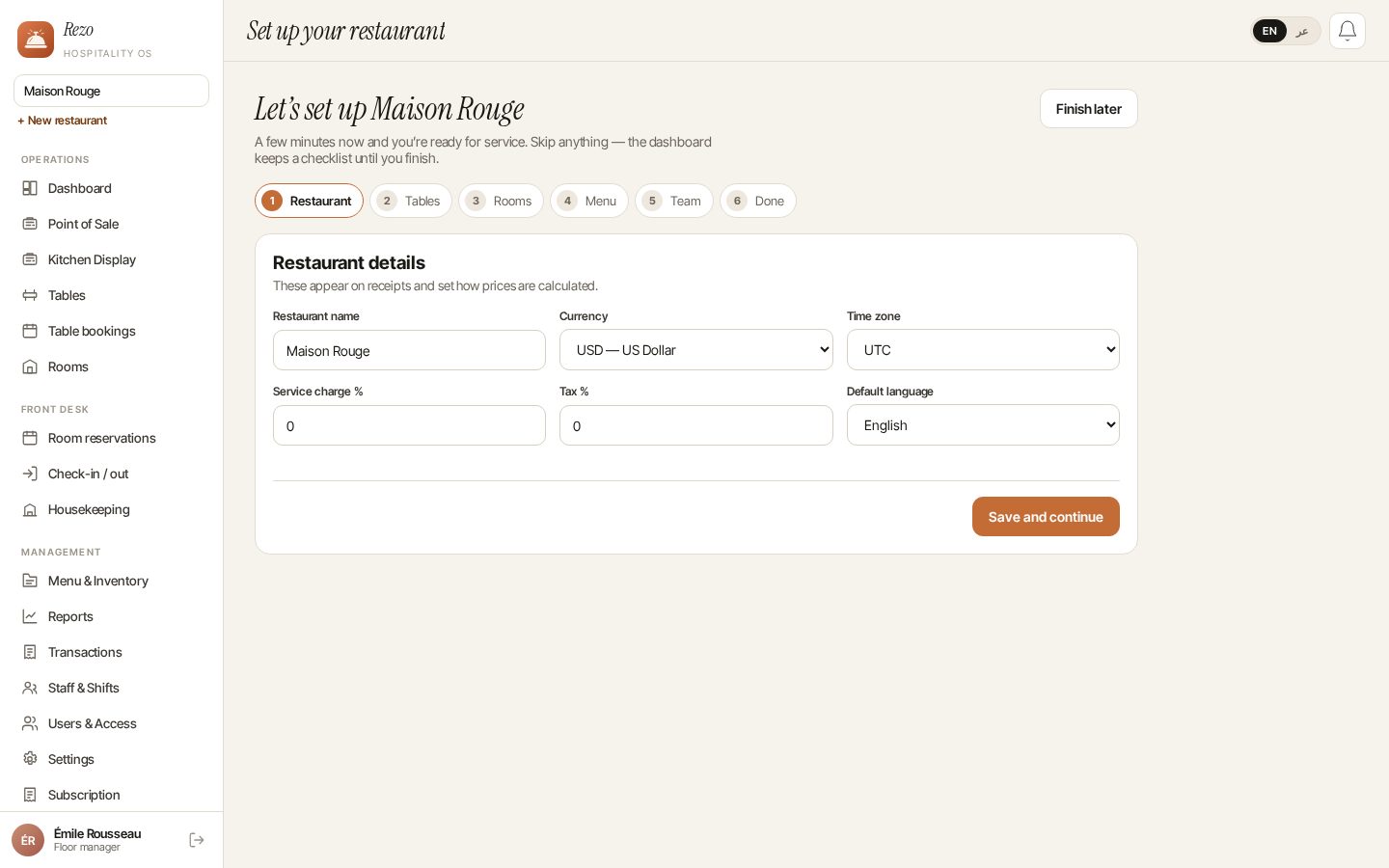
Create your restaurant
Sign up with your email — you become its manager.
- 2
Set up the room
Add tables, your menu and prices — or load sample data to explore first.
- 3
Bring in your team
Add servers, hosts and kitchen staff, each with the right access.
- 4
Take the first order
Seat a table, send it to the kitchen, settle the bill.
Simple pricing
One plan with everything included, hosted and updated for you. Prices before tax.
Standard (monthly)
14-day free trial
Everything included, for one restaurant.
Choose Standard (monthly)Standard (yearly)
14-day free trial
Everything included, for one restaurant — two months free.
Choose Standard (yearly)Rather run it on your own server?
A one-time self-hosted licence, with 12 months of updates included.
Sell Rezo under your own brand
Partners offer it with their own name, logo, prices and domain.
Create your restaurant
Choose a plan, set up in about a minute, then add your menu, tables and team. Already on Rezo? Use your existing password to open another restaurant.
Good to know
Do I need to install anything?
No. Rezo runs in the browser on any computer, tablet or phone. If you'd rather have an app, there are three: Rezo for Android for tablet tills, Rezo Crew for floor staff on a phone, and Rezo for Windows for a counter PC.
Can I try it before paying?
Yes. Every plan starts with a 14-day free trial — no card needed to start.
What happens if the internet goes down during service?
Staff keep working. Screens stay open with what was last loaded, and changes made offline are stored on the device and sent in order when the connection returns. Each change is applied exactly once.
Can I run more than one restaurant?
Yes. One login can belong to several restaurants, with a different role at each, and each restaurant's data is kept completely separate.
Does it work for hotels?
Yes — room reservations, check-in and check-out, a housekeeping board, and restaurant bills charged to the room.
Can my staff use it in Arabic?
Yes. Every screen is available in English and Arabic with a right-to-left layout.
Can I pay in rupees or dollars?
Yes — every plan is priced in INR and USD. Pick the currency when you sign up.
What happens if a payment is missed?
You get a few days' grace. After that the account is paused — your data is kept, and everything resumes the moment the bill is settled.
Can I host Rezo on my own server?
Yes, with a one-time self-hosted licence that includes 12 months of updates. Later updates are a separate purchase.